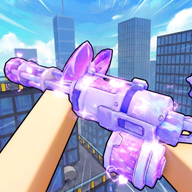
Hypershot Aim Assist Guide: Understanding Scripts, Movement, and Community Settings
Explore the latest community reports on Hypershot aim assist, including movement tutorials, aimbot scripts, and how players optimize their Roblox FPS experience.
In the fast-paced world of Roblox competitive shooters, precision is the difference between a leaderboard climb and a quick exit. Players are constantly looking for ways to gain an edge, and mastering Hypershot aim assist has become a central topic of discussion within the community. Whether you are a casual player looking to land more hits or a competitive sniper aiming for clip-worthy quick scopes, understanding how the community approaches accuracy is essential. Many players seeking Hypershot aim assist often find themselves navigating a sea of movement tutorials and third-party scripts, making it vital to distinguish between legitimate skill-building and external tools.
The Evolution of Combat in Hypershot
Hypershot has carved out a niche in the Roblox ecosystem by blending high-speed movement with tight gunplay mechanics. Unlike traditional tactical shooters where staying still is rewarded, this game thrives on momentum. Community reports suggest that the "feel" of the game is heavily influenced by how players manage their crosshairs while performing complex maneuvers.
According to player experience shared on social platforms, the game’s mechanics reward those who can sync their movement with their firing rate. This has led to a surge in interest regarding settings that can stabilize aim during high-intensity encounters.
Key Gameplay Pillars
To understand why players are so focused on aim assistance, one must look at the core pillars of the Hypershot experience:
Community Reports on Hypershot Aim Assist and Scripts
The discussion around Hypershot aim assist is frequently intertwined with the use of third-party scripts. Based on community reports from platforms like TikTok, a significant portion of the player base experiments with external modifications to enhance their performance. These range from simple UI tweaks to controversial "aimbot" scripts.
The Rise of Scripting in Hypershot
Several community members have showcased the use of executors like "Delta" to run specialized scripts. According to player reports, these scripts often include features like "Auto Kill" and "Auto Farm," which automate the gameplay experience entirely. While these are popular in highlight reels, they often fall outside the intended spirit of fair play.
It is important to note that these scripts are community-sourced and not official features of the game. Using them can lead to account restrictions within the Roblox platform.
Movement Mechanics: The "Natural" Aim Assist
For many players, the best version of Hypershot aim assist isn't a script at all, but rather the mastery of movement mechanics that make hitting targets easier. Community tutorials, such as those provided by players like Strike, emphasize that "insane movement" can actually stabilize your own shots while making you nearly impossible to hit.
Slide Canceling and Quick Scoping
One of the most sought-after skills in Hypershot is the slide cancel. By mastering this, players can maintain a level head-height while moving at maximum velocity. This acts as a form of manual aim stabilization.
Community reports suggest that players who focus on these mechanical skills often outperform those relying solely on scripts, as they can adapt to different game updates that might break third-party tools.
The Aesthetic of Hypershot: "Cutecore" and Visual Settings
An interesting trend within the Hypershot community is the juxtaposition of hardcore FPS gameplay with "cutecore" or "pink" aesthetics. Players like PinkRose Plays and dorklovers have shared content that emphasizes a stylized, often pink-themed interface.
While this might seem purely cosmetic, visual clarity is a major factor in how players perceive Hypershot aim assist. A cleaner UI with high-contrast colors can help players track enemy movements more effectively against the game's backgrounds.
Popular Visual Trends
- Pink Overlays: Using shaders or scripts to give the game a soft, pink glow.
- Minimalist HUDs: Reducing on-screen clutter to focus entirely on the crosshair.
- Custom Hit Markers: Changing the sound and visual feedback of a successful shot to improve reaction timing.
Safety and Ethics in Roblox Scripting
While the allure of an "Auto Kill" script is high, the community frequently discusses the risks involved. Third-party scripts mentioned in community reports, such as those found on TikTok discovery pages, are often unverified.
The Risks of Unauthorized Tools
- Account Bans: Roblox has a robust anti-cheat system that targets executors like Delta.
- Malware: Downloading scripts from unverified community links can expose your device to security threats.
- Community Reputation: The Hypershot competitive scene often frowns upon the use of blatant aimbots, preferring mechanical skill.
Optimizing Your Manual Aim
If you want to improve your accuracy without relying on controversial Hypershot aim assist scripts, player experience suggests focusing on hardware and in-game sensitivity settings. Most top-tier players recommend a lower sensitivity to allow for finer adjustments during long-range engagements.
Recommended Steps for Improvement
- DPI Calibration: Ensure your mouse DPI is consistent. Most FPS players prefer 400 or 800 DPI.
- Practice Slide Canceling: Spend time in empty lobbies mastering the movement tutorial steps shared by users like Strike.
- Monitor Hit Reg: Pay attention to how your shots land. As 8kaden noted, sometimes "it was never about the hit reg" but rather the timing of the shot.
- Study the "Aim Pill": Look into community-recommended settings that optimize the way the Roblox client handles input.
The Impact of Social Media on Hypershot Trends
TikTok has become the primary hub for Hypershot content. From "brutal" clips to movement tutorials, the platform dictates the meta of the game. When a new Hypershot aim assist script or movement tech is discovered, it spreads through hashtags like #robloxhypershot and #hypershotroblox within hours.
This rapid spread of information means the game is constantly evolving. A technique that works one day might be countered the next as the community learns the new movement patterns. Staying updated with creators like Toryord222 and N3ptune is often how players stay at the top of their game.
Conclusion: Balancing Skill and Assistance
The quest for the perfect Hypershot aim assist reflects the competitive nature of the Roblox community. While scripts and executors offer a shortcut to success, the most respected and consistent players are those who master the game's intricate movement and manual aiming techniques. By combining a clean visual setup with practiced mechanics like slide canceling, you can achieve a level of precision that rivals any automated tool.
Always remember to prioritize the safety of your account and the integrity of the game. Whether you are rocking a "cutecore" pink aesthetic or a minimalist professional setup, the goal remains the same: hit your shots and keep moving.
FAQ
Is there an official Hypershot aim assist setting?
Currently, there is no official "aim assist" toggle within the standard Roblox settings for Hypershot. Most players who refer to Hypershot aim assist are either talking about third-party scripts, executors like Delta, or specific movement techniques that make aiming easier.
What is the "Aim Pill" mentioned by the community?
The "Aim Pill" is a community term used by players like 8kaden to describe a specific set of settings or a mindset that improves hit registration and accuracy. It is often associated with high-level competitive play and optimizing how the game client processes shots.
Are scripts like "Auto Kill" safe to use in Hypershot?
Community reports indicate that scripts for "Auto Kill" or "Auto Farm" are frequently shared, but they carry significant risks. Using these scripts can lead to a permanent ban from Roblox, as they violate the platform's terms of service regarding third-party executors.
How can I improve my movement in Hypershot?
To improve your movement, you should study community tutorials focusing on slide canceling and quick scoping. Players like Strike have shared "insane movement" tutorials that demonstrate how to use the game's physics to your advantage, making you harder to hit while stabilizing your own aim.
Sources
Related Guides
Best Hypershot Mobile Settings for Roblox: Sensitivity and Movement Guide
Optimize your Roblox Hypershot mobile settings. Learn community sensitivity configurations, crosshair tips, and movement setups.
Hypershot Best Settings: Pro Crosshair Guide for Perfect Aim
Discover the Hypershot best settings for your crosshairs. Optimize your Roblox aim with our weapon-specific configurations and pro-level tips.
Mastering the Hypershot Auto Shoot Setting: Optimize Your Gameplay for Roblox
Learn how to optimize your gameplay with the Hypershot auto shoot setting and other essential configurations for Roblox success.