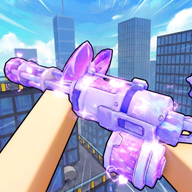
Mastering the Hypershot Auto Shoot Setting: Optimize Your Gameplay for Roblox
Learn how to optimize your gameplay with the Hypershot auto shoot setting and other essential configurations for Roblox success.
Understanding the Hypershot Auto Shoot Setting
Are you looking to sharpen your aim and dominate the arena in Roblox? Understanding the Hypershot auto shoot setting is a game-changer for many players, especially those looking to refine their combat efficiency on mobile devices. Because precision is vital in fast-paced shooters, mastering your configuration can be the difference between a victory and a defeat.
While many players focus solely on raw skill, utilizing the Hypershot auto shoot setting effectively allows you to focus more on movement and positioning while the game handles the trigger mechanics. Whether you are playing on a controller or a mobile touchscreen, getting your settings dialed in is the first step toward climbing the ranks.
The Role of Triggerbots in Mobile Gameplay
Community reports suggest that many mobile players utilize a built-in triggerbot feature to gain an edge in combat. According to various player experiences, this mechanic simplifies the firing process, allowing users to concentrate on tracking targets rather than manually tapping the fire button.
Comparison of Control Methods
If you are struggling with your performance, it might be worth exploring how these built-in assistance tools can complement your natural playstyle. Always remember that settings are subjective; what works for a top-tier player may need adjustments to fit your specific reaction time and device hardware.
Fine-Tuning Your Sensitivity for Better Performance
Beyond the Hypershot auto shoot setting, sensitivity is perhaps the most discussed topic among the community. Many high-ranking players share their specific configurations to help others achieve "locked aim" and "clean flicks."
Recommended Sensitivity Ranges (Community Reports)
These values are based on shared player experiences and are intended to serve as a baseline. You should test these in a private match or training area to see how they feel on your device before heading into a competitive 1v1 or team match.
Strategies for Pro-Level Movement
Improving your aim is only half the battle. To truly excel, you need to master the movement mechanics of the game. Community reports emphasize that movement is just as important as your chosen Hypershot auto shoot setting when trying to avoid enemy fire.
Movement Improvement Checklist
- Master the Slide: Use sliding to make yourself a harder target during gunfights.
- Corner Peeking: Always keep your movement fluid when rounding corners to prevent being caught off guard.
- Consistent Practice: Spend time in private lobbies to practice your movement patterns without the pressure of a live match.
Utilizing Private Duels to Test Configurations
One of the best ways to test your Hypershot auto shoot setting and sensitivity adjustments is to engage in 1v1 PVP duels. Many players use private servers to invite friends and experiment with different setups in a controlled environment.
Steps to Set Up a Practice Match
By isolating variables—such as testing your sensitivity with and without the triggerbot enabled—you can gather personal data on what truly improves your kill-to-death ratio.
Frequently Asked Questions
Is the Hypershot auto shoot setting considered cheating?
The feature is a built-in mechanic within the game's settings. Community reports indicate it is widely used by mobile players to assist with firing, but always ensure you are using the game's official menu options to remain compliant with platform terms.
Can I use the Hypershot auto shoot setting on a controller?
While many discussions focus on mobile triggerbots, players using controllers often focus more on sensitivity adjustments like hip fire and ADS settings to achieve accuracy. The effectiveness of automated firing features can vary depending on your specific hardware setup.
How do I find the best settings for my playstyle?
Start by testing the common sensitivity recommendations, such as 3.25 hip fire and 0.85 ADS, and adjust them in small increments. Combine this with the Hypershot auto shoot setting to see if it complements your reaction speed during intense PVP encounters.
Where can I find more tips for Hypershot?
The community is very active on platforms like TikTok, where players frequently share sensitivity guides, movement tutorials, and even new codes for the game. Always look for recent content to ensure the information is relevant to the current version of the game.
Sources
Related Guides
Best Hypershot Mobile Settings for Roblox: Sensitivity and Movement Guide
Optimize your Roblox Hypershot mobile settings. Learn community sensitivity configurations, crosshair tips, and movement setups.
Hypershot Aim Assist Guide: Understanding Scripts, Movement, and Community Settings
Explore the latest community reports on Hypershot aim assist, including movement tutorials, aimbot scripts, and how players optimize their Roblox FPS experience.
Hypershot Best Settings: Pro Crosshair Guide for Perfect Aim
Discover the Hypershot best settings for your crosshairs. Optimize your Roblox aim with our weapon-specific configurations and pro-level tips.